

A connector is a controlled bridge between an AI workflow and an external system, such as a database, content management system, calendar, document repository, or application programming interface. Connectors allow a workflow to access or exchange information where that information already lives, without requiring the language model to contain or permanently store it.
Connecting a system expands what a workflow can do, but it also introduces permissions, dependencies, failure conditions, and responsibilities. A useful connector therefore does more than establish technical access. It preserves boundaries, communicates status clearly, and limits each interaction to what the workflow actually requires.
What connectors are
Within an AI-assisted workflow, a connector is an integration layer that enables communication with another system. Depending on its purpose, a connector may read information, submit a query, create a record, update an existing item, transfer a file, or initiate an approved action.
The connector is not the external system itself. It is the defined pathway through which the workflow interacts with that system. This distinction matters because the connector can enforce rules that the language model or orchestration layer should not manage informally.
A connector commonly handles several functions:
- Establishing authenticated access to an external service
- Translating workflow requests into a format the service understands
- Retrieving or transmitting permitted information
- Returning results in a predictable structure
- Reporting errors, delays, or unavailable dependencies
- Recording relevant activity for review or troubleshooting
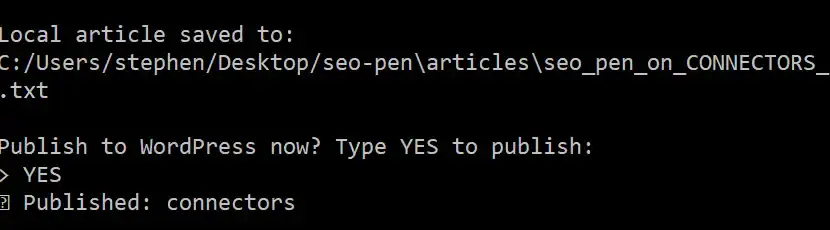
For example, a publishing connector might accept an approved article, send it to a content management system, and return the resulting page identifier or publication status. The connector provides the pathway. The content management system remains responsible for storing and serving the article.
Why AI workflows use external connections
A language model operates within a limited working context. It does not automatically know the current state of a project, the latest version of a document, an organization’s calendar, or information held in a private database. Even when a model contains broad general knowledge, that knowledge is not a substitute for current, authoritative, or organization-specific information.
Connectors allow a workflow to consult the appropriate source when a task requires it. This can reduce duplication and help keep information in the system responsible for maintaining it.
Common examples include:
- Reading current documentation from an external knowledge base
- Retrieving project files from approved cloud storage
- Checking calendar availability before proposing a meeting time
- Looking up current business information through an external API
- Submitting reviewed content to a content management system
- Sending approved material through an email service
Access to an external system does not guarantee that the information is accurate, complete, or appropriate for the task. Connectors make information reachable; they do not remove the need to evaluate its source, meaning, or current validity.
Common systems connected to AI workflows
Databases and structured records
Database connectors can retrieve structured information such as inventory records, project statuses, customer-approved details, or operational measurements. Read and write permissions should be separated when possible, particularly when a workflow only needs to inspect records.
Application programming interfaces
APIs provide defined methods for exchanging information with an application or service. A connector may handle authentication, request formatting, response validation, usage limits, and error conditions so that the rest of the workflow receives a stable interface.
Cloud storage and document repositories
Storage connectors can provide access to documents, images, spreadsheets, and other project files. Useful designs preserve file identity, version information, source location, and modification dates rather than returning detached text with no provenance.
Knowledge bases
A knowledge-base connector may support retrieval from policies, manuals, editorial guidance, technical documentation, or internal reference material. The workflow should still distinguish between authoritative documents, informal notes, archived material, and superseded versions.
Calendars and scheduling systems
Calendar connectors may read availability, identify conflicts, or create events after appropriate confirmation. Reading a calendar and modifying it are different capabilities and should not be treated as a single permission.
Email and messaging services
Communication connectors can retrieve approved messages, prepare drafts, or send reviewed content. Because sending a message affects people outside the workflow, a deliberate approval boundary is often appropriate before transmission.
Content management systems
A content management connector can create drafts, update metadata, upload media, or publish completed material. Draft creation may be automated while final publication remains a human decision. The appropriate boundary depends on the content, its consequences, and the organization’s editorial process.
Business and operational applications
Project management tools, customer relationship systems, accounting applications, maintenance platforms, and other operational systems may also expose connector pathways. These integrations require particular care because a seemingly small update can affect reporting, scheduling, billing, compliance, or downstream work.
Connectors provide access, not ownership
Connecting to information does not transfer responsibility for that information to the AI workflow. The source system remains the system of record unless the architecture explicitly establishes otherwise.
This principle helps maintain clear boundaries:
- A calendar remains responsible for calendar events.
- A document repository remains responsible for stored files and version history.
- A content management system remains responsible for publication state.
- A database remains responsible for its structured records.
- An email service remains responsible for message delivery and status.
The workflow may temporarily use information from these systems without treating every retrieved item as permanent memory. It may also submit a proposed change without assuming that the change was accepted.
Responses from connected systems should therefore preserve useful state information. “Request submitted,” “draft created,” “record updated,” and “message delivered” describe different outcomes. A responsible workflow does not collapse them into a generic statement that the task is complete.
Security, authentication, and permissions
A connector crosses a system boundary. Authentication and authorization are therefore part of its basic architecture rather than optional implementation details.
Authentication establishes identity
Authentication determines which user, service, or workflow is requesting access. Credentials should be stored and transmitted through appropriate security mechanisms rather than placed directly in prompts, documents, or ordinary workflow logs.
Authorization limits permitted actions
Authorization determines what the authenticated identity may do. A connector that only needs to retrieve documentation should not automatically receive permission to edit or delete that documentation.
The principle of least privilege provides a durable starting point: grant only the access required for the defined task, for only as long as it is required.
Read and write access should remain distinct
Reading information and changing information carry different consequences. Connector designs should make that distinction visible in configuration, workflow logic, and user interfaces.
When an action is consequential or difficult to reverse, a human-in-the-loop system can provide a review point before the write operation occurs.
Sensitive information should remain bounded
A connected workflow should not retrieve broad collections of sensitive data merely because access is technically available. Data minimization reduces unnecessary exposure and keeps the working context focused on the task.
Logs also require care. Operational records can support accountability and troubleshooting, but they should not quietly become a secondary store for credentials, private documents, or complete message contents.
Reliability and connector failure handling
External systems are not always available. Requests may time out, credentials may expire, usage limits may be reached, data formats may change, and a service may return incomplete or unexpected results.
A workflow should treat these conditions as normal operational possibilities rather than exceptional events that can be ignored.
Make failure visible
If a connector cannot retrieve current information, the workflow should not silently substitute an assumption. It should identify the unavailable source and explain how that limitation affects the task.
Distinguish temporary and permanent failures
A temporary network interruption may justify a limited retry. Invalid credentials, revoked permission, or a missing record usually require a different response. Repeating every failed request without understanding the failure can create duplicate actions or unnecessary load.
Use idempotent operations where practical
An idempotent operation can be repeated without producing unintended duplicate effects. For example, updating a draft with a known identifier is generally safer to retry than creating a new draft on every attempt.
Preserve state across transitions
The workflow should record whether an external action was requested, accepted, completed, rejected, or left uncertain. Clear state management helps prevent the system from sending an email twice, publishing duplicate content, or treating an incomplete transfer as successful.
Provide a recoverable path
Graceful recovery may include:
- Retrying a temporary failure within defined limits
- Saving work locally until the external system returns
- Routing the task to a human for review
- Requiring renewed authentication
- Resuming from the last confirmed state
- Offering a manual alternative when automation is unavailable
The appropriate response depends on the action. A failed read request and an uncertain financial update should not share the same recovery policy.
Designing responsible integrations
A well-designed connector has a narrow, understandable role. It should be possible to explain what it connects, which information may cross the boundary, what actions are allowed, and what happens when the connection fails.
Define the direction of information flow
Some connectors are read-only. Others write to an external system, while some support information moving in both directions. Mapping this information flow helps reveal where meaning, provenance, or status could be lost.
Preserve provenance
Retrieved information should retain enough source detail to support interpretation and review. Depending on the workflow, that may include a document title, source system, record identifier, version, timestamp, or retrieval date.
Validate inputs and outputs
Language model output should not automatically be assumed to match the external system’s requirements. Before a connector submits information, the workflow may need to validate required fields, formats, allowed values, and record relationships.
Responses from external systems also require validation. A successful network response does not always mean that the intended action was completed.
Place approval at meaningful boundaries
Human review is most useful when it appears before a consequential transition, not as a decorative step after the action has already occurred. Publishing, sending communications, deleting records, changing schedules, and updating authoritative data are common review points.
Automation boundaries should reflect the consequences of the action, the reliability of available information, and the ease of correction.
Keep orchestration separate from connection logic
The connector provides access to a capability. The orchestration layer determines when that capability should be used, in what sequence, and under which conditions.
Keeping these responsibilities distinct makes a workflow easier to review and maintain. It also allows one connector to support multiple governed processes without embedding every business rule inside the integration itself.
Choosing the right connectors
Not every available system needs to be connected. Each integration creates another dependency, permission surface, maintenance obligation, and possible failure path.
Connector selection should begin with the workflow requirement:
- Identify the information or action the workflow needs.
- Locate the authoritative system responsible for it.
- Determine whether access must be read-only, write-only, or bidirectional.
- Define the smallest permission set that supports the task.
- Decide where human review or confirmation belongs.
- Plan for unavailable systems, incomplete responses, and revoked access.
- Document how successful and unsuccessful operations are represented.
This is a form of tool selection. The most appropriate connector is not necessarily the one with the broadest feature set. It is the one that provides the required capability while keeping the workflow understandable and bounded.
Questions to ask before adding a connector
- What specific task requires this connection?
- Which system is the authoritative source?
- What information must cross the boundary?
- Does the workflow need to read, write, or both?
- Which permissions are actually necessary?
- How will users know when the connector has failed?
- Can an action be retried safely?
- What should happen if the external service is unavailable?
- Which actions require human approval?
- How will the integration be reviewed when the external system changes?
Common connector patterns
Read, interpret, and present
The connector retrieves current information, the workflow interprets it within the task context, and the result is presented to a person. No external record is changed.
Example: Reading current calendar events before suggesting possible meeting times.
Retrieve, assemble, and draft
One or more connectors retrieve source material. The workflow assembles the relevant context and produces a draft for review.
Example: Retrieving approved product documentation before drafting a support response.
Draft, approve, and publish
The workflow prepares content, a person reviews it, and a connector transfers the approved version to a publishing system.
Example: Creating an article draft and publishing it to a content management system after editorial approval.
Observe, propose, and update
The connector reads the current state, the workflow proposes a change, and an authorized step applies the update.
Example: Reviewing project status information before proposing a revised schedule.
Event-triggered connection
An external event begins part of the workflow, such as a new document, approved record, or scheduled time. Trigger conditions should be narrow enough to avoid unintended or duplicate processing.
Example: Beginning a review workflow when an approved file enters a designated folder.
Questions about AI workflow connectors
Is a connector the same as an AI tool?
Not always. A tool is a capability available to a workflow. A connector is specifically the pathway to another system. A connector may expose an external capability as a tool, but tools can also perform local calculations, transformations, or other tasks without connecting to an outside service.
Does connecting a data source give the AI permanent memory?
No. A connector provides access under defined conditions. Whether retrieved information is temporarily placed in working context or retained for later use depends on separate context and memory policies.
Should an AI workflow have permission to update external systems?
Only when the workflow requires it and the consequences are understood. Read and write permissions should remain distinct, and consequential updates may warrant validation, confirmation, or human approval.
What should happen when a connector is unavailable?
The workflow should report the limitation, preserve the last confirmed state, and follow a defined recovery path. Depending on the task, that may involve a limited retry, delayed processing, renewed authentication, or human intervention.
Connectors as governed pathways
Connectors make AI-assisted workflows more useful by allowing them to reach the systems where current information and operational capabilities already exist. Their value comes from controlled access, not unrestricted connection.
A durable integration preserves system boundaries, limits permissions, maintains provenance, represents state accurately, and anticipates failure. It also keeps human judgment near actions that affect people, records, publication, communication, or other consequential outcomes.
The goal is not to connect every available service. It is to create a small number of clear, reliable pathways that support the actual workflow while leaving each connected system responsible for the information and functions it governs.