
A useful workflow application starts with a job you understand: what comes in, which decisions require judgment, what the finished artifact should be, and where it needs to go next. AI can help develop the application, but those working requirements still need to come from the people doing the work.
Two small image tools from our publishing workflow illustrate this approach. WebPeek prepares WebP images for local use, including URLMD’s featured images. HumblePeek grew from the same editor but adds a delivery route into Better Abode’s Google Drive image intake.
The destination shapes what each tool needs to do.
Start with a job you already understand
Repeated work reveals requirements that are easy to miss in an abstract application idea. You notice which dimensions you enter repeatedly, which filenames need correcting, where files accumulate, and which transfer you perform after every export.
That experience provides a better starting point than a broad request such as “build a publishing app.” It lets you describe a smaller, observable job:
Open an image, choose its framing, prepare it for this website’s featured-image requirements, and put the resulting WebP where the next publishing step can use it.
Even that short description contains several different responsibilities:
- Editorial judgment: choosing an appropriate image and deciding what its framing should emphasize.
- Image preparation: cropping, resizing, and encoding the result.
- Identification: naming the file so its purpose or article association remains understandable.
- Delivery: placing the artifact in the location the next stage expects.
- Verification: checking that the intended result actually exists.
An application does not need to automate all of these responsibilities. It can handle predictable transformations while leaving selection, review, and consequential actions visible to the person using it.
WebPeek: preparing an image for local staging
For URLMD, our recurring image work includes choosing a detail from Mary Hall’s artwork, cropping it, fitting it to the site’s featured-image size, and saving a WebP.
We built WebPeek around that work. Its controls support opening or pasting an image, selecting and cropping an area, resizing, adding a short annotation when useful, and exporting a WebP with a chosen filename and quality setting.
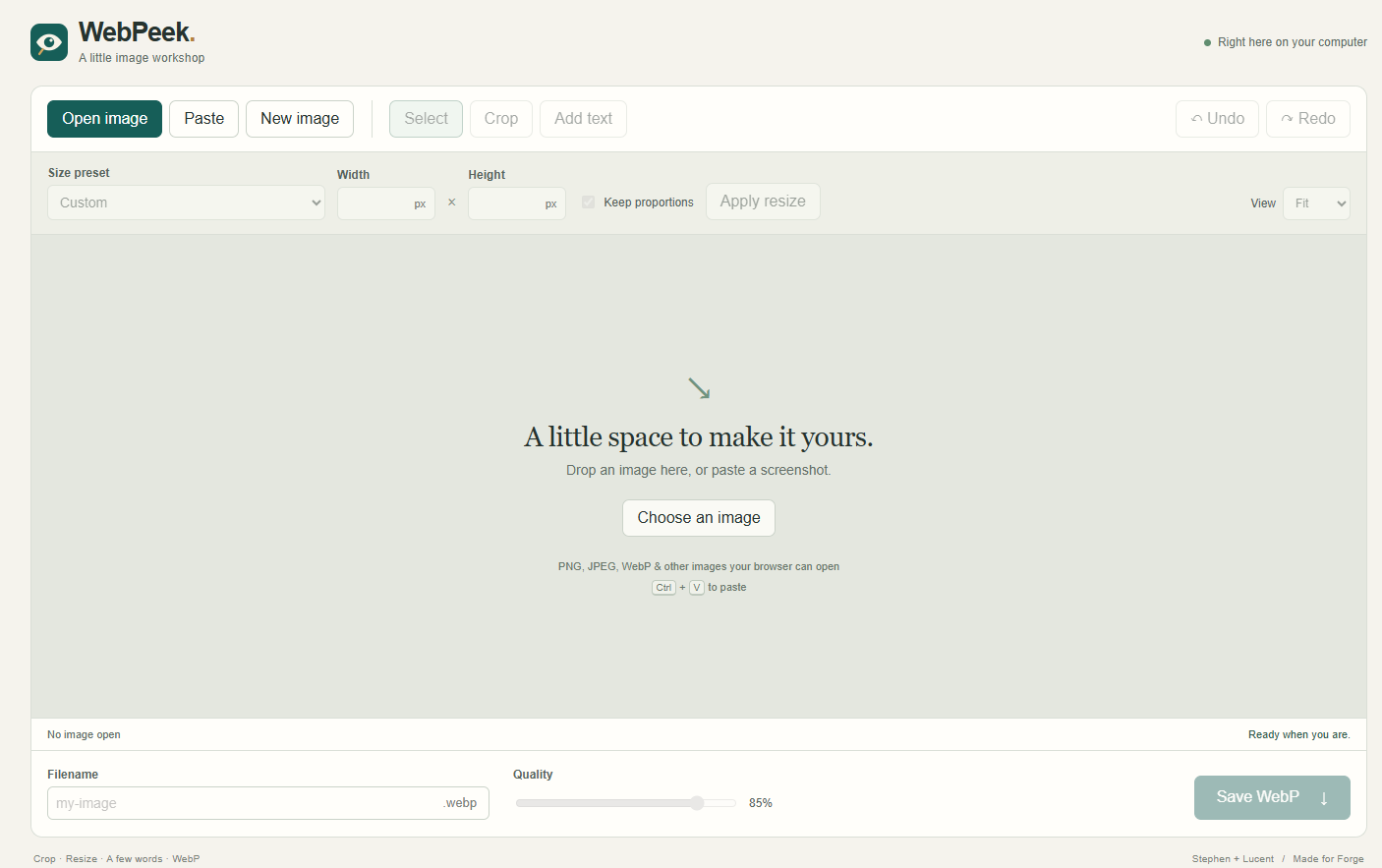
The URLMD / WordPress preset is 600 × 450 pixels. Selecting the preset fills the dimension fields. Apply resize applies those dimensions to the image.
A documented example used two details from Mary’s City Seams Cityscape: one framing the glass canopy and another framing the sunlit scaffold. Both were checked as readable 600 × 450 WebP files in the local article-images folder. Mary’s work can be explored in her city art gallery.
WebPeek processes the image locally and passes the exported WebP to the browser’s download mechanism. From there, the file can be checked and placed in local staging for the article.
This is an appropriate boundary for the tool. It prepares an image without needing to manage the article, connect to WordPress, or decide whether anything should be published.
HumblePeek: preparing an image for Drive intake
Better Abode has a different destination for its featured images. Its workflow already includes a Google Drive image intake, so a browser download leaves a recurring transfer still to perform.
We forked WebPeek to create HumblePeek, keeping the familiar editing interaction while adapting the project-specific requirements.
- Featured-image preset: 1536 × 1024 pixels.
- Local export: a Save WebP locally option using the export filename.
- Article association: an article slug entered by hand or read from saved article JSON.
- Drive filename: a preview following the pattern
<article-slug>-featured.webp. - Delivery: an explicit Send to Drive action using Humble UX’s existing Google Drive connection.
The Humble workflow covers articles, scripts, and images. For featured images, Stephen and Lucent can discuss a candidate in Codex, generate it there, and open it in HumblePeek for review or adjustment. Stephen chose Codex partly because of the image-generation cost in his setup. The person using the editor still chooses the image, checks its framing, associates it with an article, and decides when to send it.
The local Humble UX server handles delivery using the existing Google Drive connection. The editor can use that connection from HumblePeek as soon as it’s available.
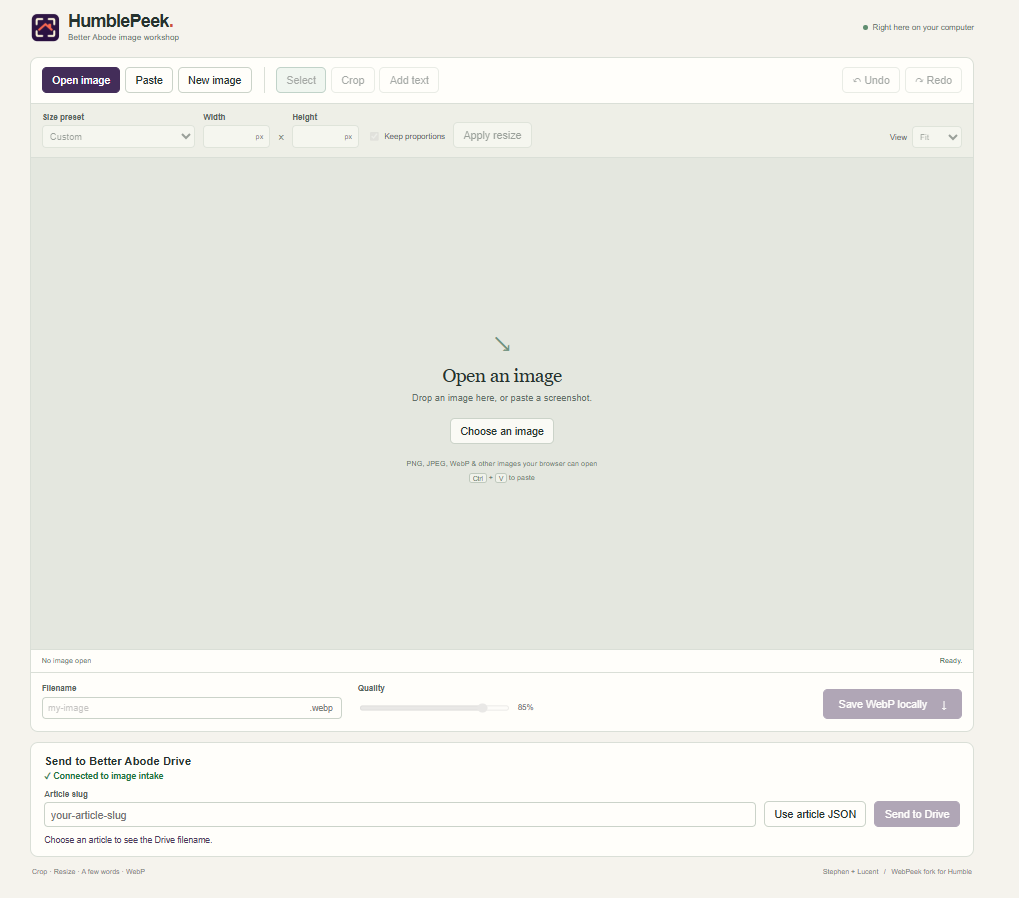
The two apps share the editing controls and local WebP export. HumblePeek adds a Better Abode Drive panel where the editor can enter a slug or choose a saved article JSON file, preview the Drive filename, and send the WebP.
HumblePeek shows a delivery confirmation after verifying the expected copy in intake. Attaching the image to the article and publishing it happen later.
Design for the next handoff
| Workflow | Where the WebP goes | How to check the handoff |
|---|---|---|
| URLMD with WebPeek | Browser download, then the local article-images folder. | Open the staged file and check the crop, filename, and 600 × 450 dimensions. |
| Better Abode with HumblePeek | Better Abode’s Google Drive image intake, using the article slug in the filename. | Check the verified delivery confirmation for the expected article-slug-featured.webp file. |
Lucent note. The crop is ready when it looks right. The handoff is ready when the next stage can find the right file.
This is the practical concern behind workflow handoffs: enough usable state must reach the next stage for work to continue without reconstructing what happened.
The image file carries the visual artifact. The article-based filename carries its intended association. The delivery result describes what happened during the transfer. None replaces the others.
Seen this way, the application is one part of a broader workflow composition. Its value depends partly on how well its output fits the next tool or person’s needs.
Give an AI coding assistant a bounded brief
When using an AI coding assistant to build a workflow tool, describe the working boundary before asking for implementation. The assistant needs more than a list of buttons.
A practical brief should establish:
- The input: what the person supplies and which formats the application should accept.
- The transformation: what the application changes and which settings control that change.
- The retained decisions: what remains a human choice rather than an automatic action.
- The output: the required format, dimensions, and naming convention.
- The destination: where the artifact goes and which existing connection, if any, should handle delivery.
- The completion evidence: what must be observed before the interface reports success.
- The exclusions: what the application must not do.
For a tool like HumblePeek, a bounded requirement might read:
Keep local export available. For Drive delivery, use the selected article slug to preview the expected filename before sending. Send only after an explicit action. Confirm delivery against the expected filename. Uploading to intake must not publish or modify an article.
This gives the coding assistant behavior to implement and the reviewer behavior to test. It also makes misunderstandings easier to locate: the problem may concern the transformation, the filename, the destination, or the evidence used to report completion.
Ask for implementation in reviewable increments. A working local export can be checked before adding delivery. Filename construction can be checked before connecting it to a remote destination. Smaller changes make it easier to understand what the generated code actually does.
Test the crossing between tools
A control appearing in an interface does not establish that its behavior is correct. Testing should follow the artifact across the boundary the application is meant to handle.
For local image preparation
- Open a representative source image.
- Apply the intended crop and resize.
- Export the WebP.
- Locate and open the downloaded file.
- Check its dimensions, framing, and visual readability.
Check after resizing, not only before it. A detail that reads well in a large source image may become unclear at the final featured-image size.
For an article-associated delivery
- Confirm that the selected slug belongs to the intended article.
- Compare the filename preview with the naming requirement.
- Send the image through the intended route.
- Check the delivery evidence for the expected file and destination.
- Confirm that the next stage can identify and use the image.
Failure paths deserve attention too. What happens if the slug is missing, the article JSON is unsuitable, the connection is unavailable, or the transfer result is uncertain? These are questions to test, not behaviors to assume from the presence of a button.
In particular, an uncertain response should not quietly become a claim of failure or success. Before repeating a transfer, establish whether the earlier attempt may already have created the file. That is part of retry safety, even in a small internal tool.
Keep the application small enough to maintain
HumblePeek stayed close to WebPeek because the editing interaction still fit the job. The differences were concentrated in the site preset, article association, filename, and delivery route.
That is a useful design principle: preserve what already works and change what the next stage actually requires.
A fork can make project-specific behavior easier to understand, but it creates maintenance responsibilities. A correction to shared image-editing behavior may need to reach both tools. A Drive-delivery change may belong only in HumblePeek. Keeping those differences identifiable helps prevent accidental divergence.
A short maintenance record can preserve the essentials: how to run the application, which configuration controls the presets and destination, what naming rule applies, how completion is checked, and which actions remain outside its authority.
Building an application is worthwhile when it removes a recurring burden without hiding decisions the person still needs to make. The benefit is not necessarily a larger automated system. It may be a smaller, clearer crossing: the right image, prepared appropriately, named understandably, and placed where the next part of the work can use it.
artwork by mary hall, created about 2012 https://fine-digital-art.com
check out https://urlmd.com/context-assembly-in-practice/