
A fallback can produce the requested result without proving that the original workflow works. Two image files may be ready to use while the browser-based process intended to create them remains untested.
When a workflow changes routes, completion needs to follow the evidence. Identify what the alternative route accomplished, which requirements depended on the original route, and what still needs its own check. This preserves useful progress without turning one successful outcome into a claim about a different process.
Separate the result from the route
A task can contain both a deliverable requirement and a process requirement.
- The deliverable requirement describes what must exist: two readable WebP images, each 600 × 450 pixels, saved in a specified folder.
- The process requirement describes what must work: opening a particular application, loading a source image, cropping, resizing, and exporting through a particular browser profile.
Sometimes the process is merely a convenient means to the result. If the requested files are all that matters, an appropriate alternative tool may finish the task completely.
Other times the process is part of the assignment. The person may be evaluating a tool, documenting a repeatable procedure, checking permissions, or establishing a route that someone else can use later. Equivalent output does not answer those questions.
This is a practical application of verification scope: a check supports the claim it actually examined. Inspecting an exported image can establish its format and dimensions. It cannot, by itself, establish which application created it or whether a browser workflow is usable.
The distinction is not between “real completion” and an inferior substitute. It is between separate requirements that may reach completion at different times.
An image workflow with two kinds of completion
In one URLMD image-preparation task, Stephen asked Lucent to select artwork from Mary Hall’s gallery, make two related 600 × 450 WebP crops, and try the process in WebPeek, a browser-based image tool.
The initial route encountered a boundary: browser control rejected WebPeek’s local file:// tab. That established a limitation in the attempted access route. It did not establish that WebPeek’s crop or export functions were broken.
The alternative tool completed the files
A separate local image tool was used to make two crops from Mary’s Bridging Promise. The resulting files were opened, checked as WebPs at 600 × 450 pixels, and confirmed in the requested Desktop folder.
Those checks supported a useful completion statement:
The two requested image files are complete and checked. They were made with a separate local image tool. The WebPeek workflow has not yet been tested successfully.
There was no need to discard the files because the original route had been blocked. There was also no basis for marking the WebPeek trial complete merely because usable images existed.
The hosted application answered a different question
Stephen recalled that WebPeek also had a hosted HTTPS version. Opening that version in the dedicated Codex Chrome profile provided another route to the application.
Through that route, the source image was loaded, a crop was drawn, the 600 × 450 preset was applied, and an export was requested. WebPeek reported that it had sent the file to Chrome.
The confirmation chain was less straightforward. A download listener timed out, and the first folder check did not find the file. A later check located it in the actual Downloads folder. Inspection then established that the downloaded bytes formed a readable 600 × 450 WebP.
The missing listener event had not meant that the export failed. The first unsuccessful folder lookup had not meant that no file existed. Checking the destination resolved the uncertainty without immediately creating another export.
Startup and a complete run received their own checks
Stephen then closed the Codex Chrome window to test another condition: could the workflow begin again from a closed-window state? Chrome was launched, the codex profile was selected, and hosted WebPeek was confirmed open there.
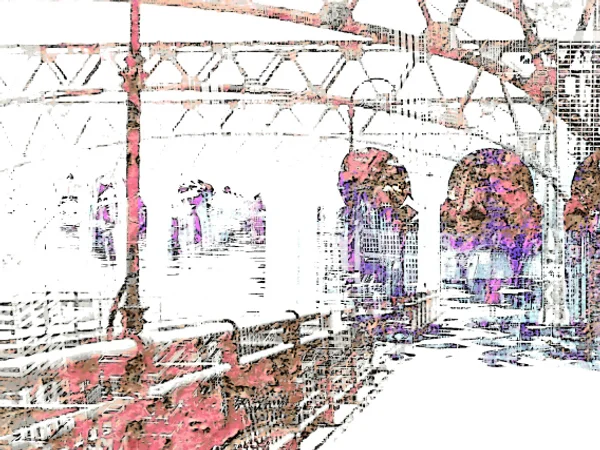
That startup check was distinct from image editing. In a separate complete run, two details from Mary’s City Seams Cityscape—the glass canopy and the sunlit scaffold—were cropped from the full source, resized, exported through WebPeek, and checked in Desktop article-images.
The working procedure was documented after that practical run. The artwork and its source remain credited to Mary Hall’s City Art Gallery.
Each stage added evidence for a different claim. None needed to erase or overstate what the earlier stage had accomplished.
Read each signal at its actual scope
Workflow tools expose signals from different layers. An application message, a browser event, a filesystem lookup, and an inspection of file contents are related observations, not interchangeable proof.
| Observation | What it supported | What remained unresolved |
|---|---|---|
| Browser control rejected the local tab | The attempted local access route was unavailable through that control mechanism. | Whether hosted WebPeek could be used successfully. |
| Fallback files opened at the requested size and format | The alternative tool produced readable files meeting those technical requirements. | Whether the WebPeek process worked. |
| WebPeek reported sending an export to Chrome | The application reported its export handoff. | Whether Chrome saved the file, where it saved it, and whether its contents were correct. |
| The download listener timed out | No matching event was received by that listener within its waiting period. | Whether the download nevertheless completed. |
| The downloaded file was found and inspected | A readable 600 × 450 WebP existed at the inspected location. | Any remaining placement, naming, or editorial checks. |
A file lookup is also bounded by where and how it searched. “Not found in the checked folder” is narrower than “not downloaded.” Before repeating an export, check the browser’s actual download destination and any available download record.
This follows the same principle used in recovering from failed workflow steps: an interruption can leave an unknown outcome rather than a confirmed failure. Inspecting current state is often more useful than immediately repeating the action.
The cost of repetition varies. A duplicate image may create naming confusion and cleanup work. Repeating a message, payment, or record-creation request can have more consequential effects. The investigation should match those consequences.
Make route changes explicit
A fallback is appropriate only if it preserves the requirements that matter—or if someone with the relevant authority accepts a change to them.
Useful questions before switching routes include:
- Capability: Can the alternative produce the required result, including quality and format?
- Data handling: Will information move to a different service, account, device, or storage location?
- Permissions: Does the new route require access that has not been granted?
- Side effects: Will it create additional records, downloads, notifications, or public changes?
- Process purpose: Was the original tool itself being evaluated?
Moving from a local application page to a hosted HTTPS page changes the application’s origin and access conditions. That does not, by itself, establish where image processing occurs or whether an image is uploaded. Those questions require evidence about the application’s behavior.
A working route should not be described as a harmless equivalent merely because its interface looks familiar. At the same time, a route change does not need an elaborate approval ceremony when it stays within established permissions and has no material effect on the task.
The underlying rule is straightforward: preserve the original requirement and make meaningful changes visible. Tool selection should address a missing capability, not quietly lower the standard of completion.
Choose the next test from the remaining question
Once a fallback succeeds, the next action should follow the unresolved requirement—not a habit of restarting everything.
If only the deliverable matters, verify the deliverable
Check the properties that make the output usable. For images, those may include format, dimensions, framing, filenames, source attribution, and destination folder. A technically valid image can still have an awkward crop or the wrong subject.
If the alternative route meets the task’s requirements and no route-specific question remains, the job may be finished.
If the original capability matters, test that capability
To establish whether WebPeek can crop and export, perform a crop and export through WebPeek. Files created elsewhere cannot substitute for that observation.
A focused trial may be enough to answer a narrow capability question. A requirement to complete a two-image workflow needs evidence covering the complete two-image workflow.
If the starting condition matters, test from that condition
An application already open in the correct profile does not establish that an operator can launch the browser and select that profile. Likewise, an authenticated session does not test sign-in, and a prepared document does not test import.
Test those earlier steps when they belong to the promised procedure. Otherwise, state the prerequisite: “Begin with hosted WebPeek open in the codex Chrome profile.”
A documented procedure should make clear whether a step was observed in practice, supplied as a prerequisite, or left for later testing. One successful run supports the described route under the observed conditions; it is not a guarantee across every browser, profile, or future version.
Leave a useful completion record
A short record can preserve both progress and the boundary around it. It should let the next person continue without reconstructing the entire attempt.
- Requirement
- What result or capability was requested?
- Route used
- Which tool, environment, and destination produced the result?
- Observed result
- What was checked, by what method, and with what outcome?
- Open check
- Which requirement remains unsupported by the available evidence?
- Next action
- What specific check or decision would resolve it?
After the initial fallback, that record could have been only a few sentences:
Both requested crops were created with a separate local image tool. They opened as 600 × 450 WebPs and were confirmed in the requested Desktop folder. Browser control rejected the local WebPeek tab, so WebPeek remains untested. Next, try the hosted application in the designated Chrome profile and inspect an actual export.
Later evidence can close the open check without rewriting the history. The fallback completed the first files; the hosted run established the application route; the startup check addressed browser entry; and the complete two-crop run supported the documented procedure.
Mark complete what the evidence supports, preserve what remains valid, and give each unresolved requirement its own next step. A workflow does not need one all-or-nothing status to be understandable.