
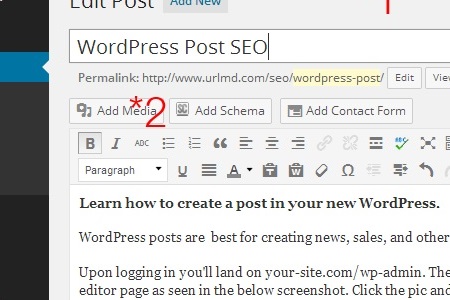
I originally wrote a much shorter version of this article years ago for beginner WordPress users. The old advice was simple: write for users first, write a clear title, add useful content, include images with alt attributes, write an engaging meta description, choose the right categories, and publish.
That advice still holds up.
The tools have changed. WordPress has changed. Information and answer retrieval systems have changed. But the basic goal has not changed: create a useful post that is easy for people and systems to understand.
This article is for beginner and intermediate WordPress users who want to publish better posts without getting lost in SEO jargon.
WordPress Posts vs. Pages
WordPress posts and WordPress pages are not the same thing.
Posts are usually best for articles, updates, news, blog entries, tutorials, announcements, and other content that belongs in a dated or categorized publishing stream.
Pages are usually best for more permanent content, such as your homepage, about page, contact page, service pages, privacy policy, or other main navigation content.
That distinction matters because WordPress organizes posts differently than pages. Posts can belong to categories, use tags, appear in archives, and become part of a larger content library over time.
A good WordPress post should not be treated like a random page. It should belong somewhere in the structure of the site.
Write a Clear Post Title
The post title is one of the most important parts of a WordPress post.
A good title should be clear to a human reader and understandable to search engines.
That does not mean stuffing keywords into the title. It means writing a title that honestly describes the topic of the post.
For example:
- Weak title: WordPress SEO Tips
- OK title: How to Write a User First WordPress Post
The OK title tells the reader what the article is about, who it is probably for, and what kind of help they can expect.
When writing a post title, ask:
- Would a real person understand this title quickly?
- Does the title match what the article actually says?
- Does it include the main topic naturally?
- Is it specific enough to be useful?
Good optimization starts with honest titles.
Use a Readable Permalink
The permalink is the URL of the post.
A clean permalink helps users and search engines understand the page before they even open it.
For example:
- Weak permalink:
/post?id=123 - Better permalink:
/wordpress-post-seo/
Good URLs are usually:
- short,
- readable,
- lowercase,
- separated with hyphens,
- and focused on the main topic.
Do not change old URLs casually after a post is already published and indexed. If you must change a URL, use a proper redirect so visitors and search engines can find the new location.
Write Useful Original Content
Original content still matters.
That does not mean every post has to be long. It means the post should provide real value, clear explanation, useful experience, or helpful context.
Years ago, I wrote that 350 to 500 words was normal, and 10,000 words was fine too if every word was original and necessary.
That is still the right shape of idea.
Do not write more just to make a post longer. Do not write less just to publish faster. Write as much as the topic honestly needs.
A useful WordPress post may include:
- a direct answer,
- examples,
- screenshots,
- steps,
- warnings,
- definitions,
- links to related resources,
- and practical explanation based on real experience.
The best posts usually answer a real question clearly.
Use Headings to Organize the Post
Headings help readers scan passages and understand how the information is organized.
Headings also help retrieval systems and assistive technologies understand the structure of the page.
Use headings naturally:
- Use one main page title.
- Use
h2headings for major sections. - Use
h3headings for smaller subsections when needed. - Do not choose heading levels only because of how they look visually.
A good heading should tell the reader what the next section is about.
Do not use headings as decoration. Use them as structure.
Add Helpful Images
Images can make a WordPress post more useful, especially when they explain something the text alone cannot explain as clearly.
Good images might include:
- screenshots,
- examples,
- diagrams,
- product photos,
- before-and-after photos,
- or original images that support the topic.
Before uploading images to WordPress, name the files clearly.
For example:
- Weak file name:
IMG_4421.jpg - Better file name:
wordpress-post-seo-example.jpg
Also make sure images are not larger than they need to be. Large .JPG or .PNG images can slow down a page, especially on mobile devices.
Image optimization is not only about filenames. It also includes alt text, captions when useful, compression, image format, responsive sizing, and how the image supports the content.
Write a Meta Description
The meta description is a short summary of the post.
It may appear in search results, although search providers may choose to rewrite or replace it depending on the query.
A good meta description should:
- summarize the post clearly,
- include the main topic naturally,
- sound useful to a human reader,
- avoid keyword stuffing,
- and stay reasonably short.
Think of the meta description as a promise to the searcher.
If the description says the post will explain user first WordPress post building for beginners, the post should actually do that.
Example:
Learn how to write a user first WordPress post with clear titles, readable URLs, helpful images, meta descriptions, categories, internal links, and accessibility basics.
Add Internal Links
Internal links connect one page on your website to another page on your website.
They help users continue learning, and they help search engines understand how your content is related.
For example, a post about user first WordPress publishing might naturally link to articles about:
- WordPress media optimization,
- meta descriptions,
- structured data,
- Core Web Vitals,
- canonical URLs,
- or a glossary.
Internal links should be useful, not forced.
Use descriptive anchor text. A link that says WordPress media optimization is usually more helpful than a link that only says click here.
Use External Links When Helpful
External links point to other websites.
Some beginners are afraid to link out because they think it will hurt their site in some way. A useful external link can help readers by pointing them to a trusted source, official documentation, original research, or a helpful reference.
Do not link out randomly. But when another source helps the reader understand the topic better, link to it.
Good links are part of good web stewardship.
Choose Categories and Tags Carefully
Categories and tags help organize WordPress posts.
Categories are usually broader sections of your site. They help group related posts together.
Tags are usually more specific labels. They can be useful, but they are often overused.
A common beginner mistake is creating too many categories and tags. This can create messy archive pages and make the site harder to understand.
Use categories intentionally.
For example, a site about website optimization might use categories like:
- Retrieval
- WordPress
- Optimization
- Accessibility
Tags should only be used when they help organize real groups of content.
If a tag only appears on one post and has no long-term purpose, it may not need to exist. Examples of tags I might use (if I used them) are code, content, and sitemap. Tags I would not use are AEO, GEO, or some other likely transitory marketing term.
Remember Accessibility
Accessibility should not be an afterthought.
A user first WordPress post should be easy for as many people as possible to read, navigate, and understand.
Accessibility basics include:
- clear headings,
- descriptive link text,
- meaningful alt text for important images,
- readable font sizes,
- good color contrast,
- short paragraphs,
- logical structure,
- and content that does not rely only on visual cues.
Accessibility helps people. It also helps browsers, assistive technologies, search engines, and future maintainers understand the page.
That is why accessibility and SEO are connected. They both reward clarity.
Read about WCAG for more on accessibility.
A Note About AI Content
AI tools can help with writing, outlining, editing, formatting, and idea development. I use a self engineered AI assisted HITL workflow. That’s just a fancy way of saying I’m organized. The same quality of content can be produced in the UX of your favorite AI assistant.
If I use AI to help write a WordPress post, I am still responsible for the accuracy, usefulness, and honesty of what I publish.
AI-assisted content should be reviewed carefully for:
- accuracy,
- tone,
- originality,
- missing context,
- overconfident claims,
- and whether the post actually helps the reader.
AI can support good writing, but it can also create generic content very quickly.
Use it carefully.
Related reading: AI Content Generation: How It Works, Where It Breaks, and How to Use It Responsibly.
Before Publishing a WordPress Post
Before clicking publish, review the post.
A pre-publish checklist:
- Is the title clear?
- Is the permalink readable?
- Does the post answer the topic honestly?
- Are headings organized logically?
- Are images useful and optimized?
- Does important image alt text make sense?
- Is there a clear meta description?
- Are internal links helpful?
- Are categories appropriate?
- Are tags necessary?
- Is the post readable on mobile?
- Would the post help the person who searched for it?
If the answer is yes, publish it.
You can always improve a post later. One of the best things about WordPress is that publishing does not have to be the end of the work. Good posts can be updated, expanded, corrected, and improved over time.
Final Thought
A user first WordPress post isn’t that complicated
Start with a useful topic and write for the reader. Write a clear title. Use a readable URL. Organize the post with headings. Include helpful images. Write a meta description. Add internal links. Choose categories carefully. Remember accessibility.
That is still foundational.
Good viewership is not about tricking search engines. It is about making a useful post easier to find, easier to understand, and easier to trust.
I was a beginner once too. If you are learning about website optimization, start with the basics and keep improving one post at a time.
Originally published 2010ish. Expanded and updated for modern optimization, accessibility, internal linking, media optimization, AI-assisted writing, and long-term content quality.
Author: Stephen AND Lucent
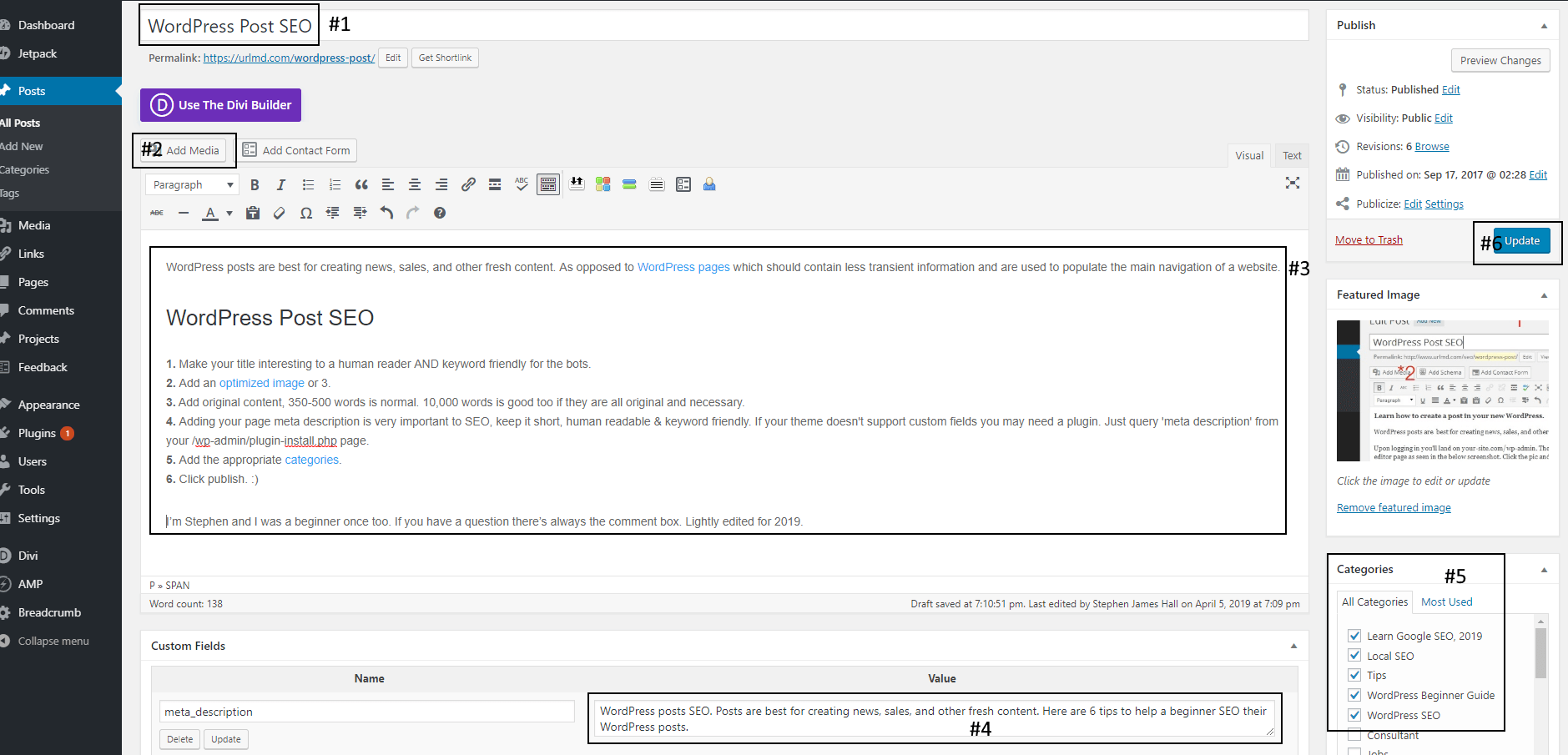
notice nowhere in the article does it say, …’be sure to add a CTA’.
that’s not a mistake.